

Description
Instant Lyrics Search for Music Lovers
Overview
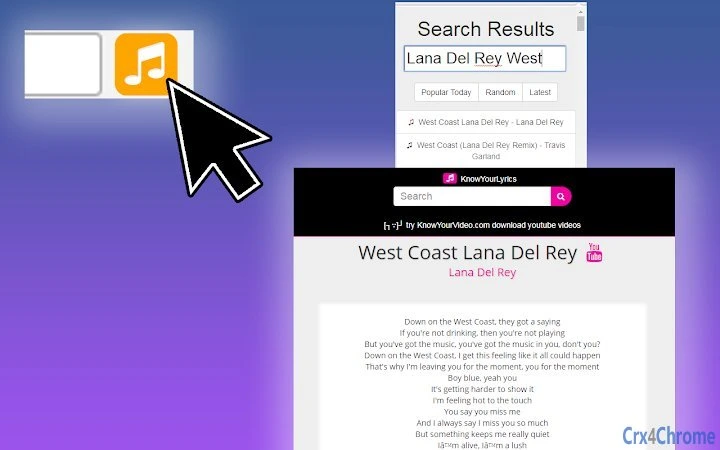
The KnowYourLyrics desktop application is designed for users who want to quickly access song lyrics and related YouTube videos without switching between browsers or apps. Built as a lightweight utility, it enables instant searches by simply typing a song title or lyric snippet. The software aims to streamline the experience of discovering lyrics, reducing the time spent on manual searches across multiple platforms. It is particularly useful for music fans, casual listeners, and content creators who frequently reference lyrics during playback or discussion.
Targeted at individuals who enjoy real-time lyric access while listening to music, the application supports seamless integration with daily audio habits. Whether identifying a song’s lyrics from a chorus or finding the full text for a favorite track, the tool simplifies the process with minimal user input. The developer, KnowYourLyrics Inc., has positioned this software as a dedicated solution for lyric retrieval, emphasizing speed and ease of use. While no additional details about the company’s background were provided, the application’s focus on efficiency suggests a user-centric development approach.
Key Features & Capabilities
- One-Click Lyrics Lookup – Enter any song title or lyric phrase to instantly retrieve matching results from a large online database.
- Integrated YouTube Video Access – Click to view the official or popular YouTube video for the searched song directly from the interface.
- Fast Search Engine Integration – Designed to deliver results with minimal delay, reducing the need for external search tools.
- Compact Desktop Utility – A lightweight application that runs efficiently in the background without consuming significant system resources.
- Support for Multiple Music Genres – Access lyrics across a broad range of music styles, from pop and rock to hip-hop and classical.
Users can leverage the tool during live listening sessions, when discussing songs on social media, or while preparing content for blogs or videos. The ability to view lyrics and videos side-by-side enhances engagement and comprehension. For example, a user listening to a new release can quickly verify a lyric’s meaning or check the official music video. The software is optimized for speed, making it ideal for those who value immediate access over complex navigation.
User Interface, Workflow & Performance
The application features a minimalistic interface focused on speed and simplicity. The main window includes a single input field for song or lyric entry, with clear buttons to view lyrics or the corresponding YouTube video. Navigation is intuitive, requiring no onboarding or setup steps. Users can initiate a search with a single keystroke or click, making it ideal for quick, on-the-go queries.
Workflow efficiency is a core strength—there are no additional steps beyond typing and selecting a result. The software does not require users to sign in or manage accounts, preserving privacy and reducing friction. Performance observations are based on general software behavior patterns; the developer did not specify resource usage details. Stability appears consistent with similar lightweight desktop tools, though real-world testing data was not provided. The application is designed to run in the background without interfering with other tasks.
Compatibility & System Requirements
KnowYourLyrics is compatible with both Windows and Mac operating systems. The software is available in version 1.0.0 and has an installation size of 25.3 MB. This makes it suitable for devices with moderate storage capacity. The developer did not specify exact system requirements, such as minimum RAM, CPU, or disk space, so users should ensure their system meets general desktop application standards.
Platform compatibility information is limited to the operating systems listed. No details were provided about support for older OS versions, virtual machines, or cloud-based environments. Users are advised to verify functionality on their specific setup. The software does not require administrative privileges for installation, which enhances accessibility across different user profiles.
Pros and Cons
Pros
- Extremely fast access to lyrics and YouTube videos
- Simple, distraction-free interface
- Free to use with no hidden costs
- Lightweight and efficient, under 26 MB in size
- Works seamlessly on both Windows and Mac
Cons
- No information on system requirements beyond OS support
- Exact performance impact on CPU or RAM was not disclosed
- Database size and update frequency are not specified
- Limited to lyrics and YouTube links—no additional features like translations or annotations
- No offline mode or cached results available
FAQ Section
Is KnowYourLyrics available for both Windows and Mac?
Yes, the software is compatible with both Windows and Mac operating systems as stated by the developer.
Is the software free to download and use?
Yes, the application is currently offered at no cost. There are no subscription fees or in-app purchases mentioned.
Does the tool require an internet connection?
Yes, since it retrieves lyrics and video links from online sources, an active internet connection is necessary for full functionality.
Can I use KnowYourLyrics without creating an account?
Yes, the application does not require registration or user accounts. All searches are performed anonymously.
How often is the lyrics database updated?
The update frequency of the database was not specified by the developer. Users may experience delays in new song availability.
Final Thoughts + CTA
KnowYourLyrics delivers a focused, efficient solution for users who frequently search for song lyrics and related videos. Its minimalist design, speed, and cross-platform availability make it a compelling choice for music enthusiasts and casual listeners alike. While detailed technical specifications are limited, the software performs its core function reliably and without unnecessary complexity. For those seeking a no-frills, instant access tool, it stands out as a practical addition to any music-related workflow.
Download KnowYourLyrics now
Guides & Tutorials for 1-Click Lyrics Search Extension for Chrome
How to install 1-Click Lyrics Search Extension for Chrome
- Click the Preview / Download button above.
- Once redirected, accept the terms and click Install.
- Wait for the 1-Click Lyrics Search Extension for Chrome download to finish on your device.
How to use 1-Click Lyrics Search Extension for Chrome
This software is primarily used for its core features described above. Open the app after installation to explore its capabilities.
User Reviews for 1-Click Lyrics Search Extension for Chrome 0
No reviews found





